Skip to content

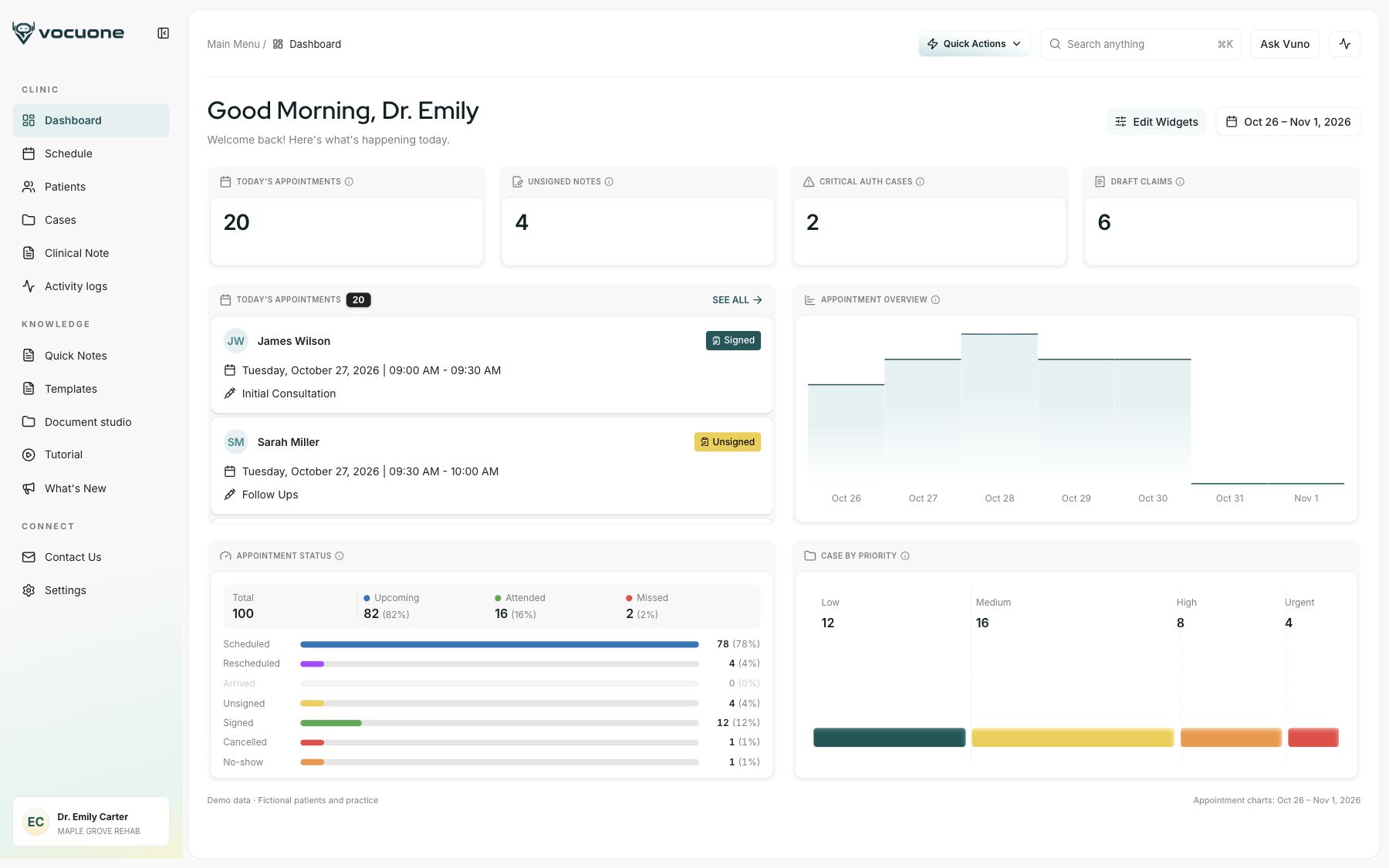
AI-assisted EHR for PT, OT & rehab

Your day is full of patients.
Your evening shouldn’t be full of notes.

Vocuone turns visit recordings into note drafts in your templates, with scheduling, patient records and billing workflows in one workspace. You review, edit and sign.

Visit recordings become note drafts in your templates. Scheduling, records and billing stay connected.

See how note drafts, templates and practice tools work together.

Swipe through Vuno, patient records and scheduling.

For clinicians

See how a visit becomes a note.

Record the visit, prepare a draft in your template, then check the details before you sign.

  1. 1. Record the visitRecord
  2. 2. Prepare a draftDraft
  3. 3. Review and signReview

JW James Wilson Visit 7 · Physical therapy

Clinical noteVocuone
James Wilson

Physical therapy · Visit 7

RecordingDraftingReview
SOAP noteDraft

From the visit “Knee flexion is 118 degrees.”

From the visit
Stair pain down to 3/10.
Objective
Knee flexion: 118°From recording
Plan
Continue 2x/week. Add step-downs.

See it with your own workflow.

We’ll walk through the draft and review process. You can also bring a sample template with patient information removed.

Visit recordings

For note drafting

Intake & outcome scores

From the patient portal

Referrals & op notes

Added to the treatment

Eligibility & benefits

Available coverage details

Payer letters

Read into structured fields

AI AT THE CORE

Put the information you already have
to work.

  1. Clinical note drafts
  2. Authorization documents
  3. Progress reports & care plans
  4. Appeal letters

Drafted from case information. Reviewed by your team.

For the whole practice

Appointments, authorizations and billing. Connected to the patient.

Review the patient’s case before the appointment. Keep authorizations, billing details and follow-up work visible to the team.

01 · Before the visit

Walk in prepared.

Review coverage details, intake forms and case history before the appointment.

JW James Wilson Visit 7 · Physical therapy

Patient recordVocuone

James Wilson Visit 7

Before today’s appointment

Intake
Completed
Outcome measure
LEFS 52 / 80
Authorization
On file

Case information ready to review.

Intake before the visit.

Intake and outcome scores come back through the patient portal.

LEFS
Score 52 / 80
Completed
Functional scale
3 activities
Completed
Consent to treat
Signed Sep 29
Signed

Ask before you walk in.

A one-line briefing on any patient, from their case.

Brief me on James before 10:30
Week 8 after ACL reconstruction
Flexion 105° last visit · LEFS up 8
5 visits left on the authorization
Open case →

02 · Before you sign

Review billing details before signing.

Review codes, units and authorization details while the visit is still fresh.

JW James Wilson Visit 7 · Physical therapy

Patient recordVocuone

James Wilson Visit 7

Billing · Visit 7

97110
Therapeutic exercise · 23 min
97140
Manual therapy · 15 min
Before signing
Review codes, units and authorization.

The clinician checks the details before signing.

Timed units, ready to check.

Review calculated units alongside the recorded treatment time.

9711023 min
9714015 min
38 timed minutes123
3 billable units, following the 8-minute rule

Visit limits you can see.

Visits left and auth dates, on every case.

7/12visits
5 visits left
Auth endsOct 24
Renewal packet suggested at 3 visits left.

03 · Authorizations

Keep authorization work together.

Prepare requests from the case and review extracted payer decisions.

JW James Wilson Visit 7 · Physical therapy

Patient recordVocuone

James Wilson Visit 7

Authorization · payer response

Requested
8 more visits
Payer decision
4 visits approved
Next step
Review extracted dates and limits.

Decision details stay with the case.

Letters become data.

Decision, visits and dates, read straight from the payer’s PDF.

Payer letter
→
DecisionPartial
Visits4 of 8
ThroughDec 20

Keep visit limits visible.

Review remaining visits, recertification dates and coverage details.

Jonah Price1 visit left on auth
James WilsonAuth ends Oct 24
Ruth ParkerPlan of care recert due
Elena CruzCoverage ends Nov 1

04 · Claims & appeals

Follow claims and prepare next steps.

Review draft claims and track their status. Use case information to prepare supporting letters when needed.

JW James Wilson Visit 7 · Physical therapy

Patient recordVocuone

James Wilson Visit 7

Claim follow-up

Visit 7
Note signed
Claim
Status tracked with the case
If denied or partly paid
Prepare a supporting letter for review.

Keep the next action visible to the team.

Every claim, followed.

Submitted, paid or pushed back, all in one list.

CLM-10482
James Wilson
Paid $190
CLM-10477
Sarah Wilson
Submitted
CLM-10469
Marcus Lee
Partly paid · appeal drafted
CLM-10451
Ruth Parker
Paid $236

Prepare a letter for review.

Use case information to prepare a draft, then verify the details and references.

Appeal · 97530Draft
Since surgery1, James’s LEFS rose from 44 to 582 and knee flexion from 105° to 118°3. Continued care is needed to restore stair descent and return to work4.
BUILT FOR REHAB

Built around the course of care.

Tools for rehab documentation, patient forms and follow-up care.

Vuno / Goal drafts
Draft goals for this visit
Suggested goals, ready for review.
Select which to add to the note.

Draft goals with Vuno

Generate suggestions from the visit’s transcript, note and existing goals. Review them and choose which to add.

Intake · on patient’s phone
Pain today0123456 / 10
✓
Stairs are difficult
✓
Pain at night
Submit
Submitted ✓

Patient portal & forms

Intake and outcome measures, filled on the patient’s phone.

Daily note · PTA
Co-signed by Dr. Emily Carter · 2:14 PM

Co-sign & addenda

Supervision built into the note for PTAs and students.

Home program · sent to patient
Glute bridges3 × 10
Clamshells3 × 12
Wall slides2 × 10

Home exercise programs

Build packets from your clinic’s library and share them with patients.

Billing rules that stack

Clinic, payer and case rules resolve into what applies to each visit.

Letters ready for review

Progress reports, plans of care and appeals, drafted from the case.

The whole case journey

Referral to discharge on one timeline, so gaps are easy to spot.

Know what switching would involve.

Start with the tools and workflows your team uses today. We’ll review what fits in Vocuone and what a move would involve.

  1. 1. Map your workflow

    Review your templates, payer workflows and current tools together.

  2. 2. Confirm what can move

    Agree on supported data, migration scope and any integration needs.

  3. 3. Plan the rollout

    Discuss training, responsibilities and timing before making the switch.

Separate schedules

Appointments & patient records

Scattered documents

Notes & supporting letters

Disconnected billing work

Superbills & claim tracking

Connected in Vocuone

SECURITY & COMPLIANCE

Access and accountability. For your practice’s records.

Ask for current security documentation, data handling details and applicable agreements as part of your evaluation.

Encrypted storage

Infrastructure configured with encryption for stored records.

Role-based access

Control access to workflows based on team responsibilities.

Activity history

Review recorded actions and changes across practice workflows.

FAQ

Questions, Answered.

Is Vocuone an EHR or a note-taking add-on?

Vocuone brings scheduling, patient records, documentation, authorizations and billing workflows into one EHR. In the demo, we’ll review your existing tools and confirm which workflows and integration needs it can support.

Who is Vocuone for?

Vocuone brings scheduling, patient records, clinical notes, case management and billing workflows together for physical therapy, occupational therapy and rehab practices. Ask for a walkthrough of the workflows your team uses.

What does the AI do, and what do I review?

AI helps draft clinical notes, case summaries and letters from the information you provide. Your team reviews and edits the output. Clinicians remain responsible for clinical decisions and signing their documentation.

Can we use our own note templates?

Vocuone includes template tools for clinical documentation. You can bring a sample of your current template with patient information removed to explore how it fits your workflow during the demo.

Does Vocuone guarantee authorization or payment?

No. Vocuone helps prepare documentation and manage authorization and claim workflows. Coverage, approval and payment remain subject to payer decisions and requirements.

What would switching involve?

Start by reviewing your current tools, records, templates and team needs with us. Confirm migration scope, supported data formats, training and the rollout plan before committing to a move.

How can we evaluate security?

Ask the team for current security documentation, data handling details and applicable agreements so your practice can review them before deciding.

How do we get pricing?

Discuss your practice size and required workflows during the demo. Ask for current pricing and what is included in the proposed setup.

See how Vocuone fits your practice.

See the note workflow, explore your practice’s requirements, and discuss pricing and switching.

Send a demo request. Our team will contact you to arrange the walkthrough.